TalkSibi: A Tour of the App
TalkSibi started as a browser word game and grew into a free language-exchange community: a place to meet people who speak the language you are learning, message and call them, drop into live voice rooms, join clubs, work through short courses, and play a word game when a conversation needs a push. This is a tour of what is actually in the app, tab by tab, written from how it works today — including the parts that are AI, which are labelled as AI.
TalkSibi works in any modern browser on a phone, tablet or laptop at talksibi.com/app, with apps for iOS and Android if you prefer. It is for adults, 18 and over.
Jump to: signing up · Community · Chats · rooms and clubs · Learn · Games · the AI Experts · your profile · safety
Signing up
You can sign up with an email address or with Google (and with Apple in the iPhone app). You confirm you are 18 or over, then a short setup asks for the languages you speak, the languages you are learning, and your level in each: Beginner, Intermediate or Advanced. You add a photo and a line about what you like talking about. New profiles are checked before they appear to everyone, which keeps out most of the obvious fakes and spam.
You do not need an account to play the word games; you do need one to message people.
The Community wall
The first tab is the heart of it: a grid of members, each card showing their photo, the languages they speak and are learning, and how recently they were around. Across the top is a row of language chips — tap to add the languages you want to see, tap a chip again to drop it — and you can choose whether you mean people who speak that language natively, people learning it, or either.
- All, Nearby and ✦ AI Experts switch between everyone, people in your country (closest first when the app knows the distance), and the two AI practice partners.
- Filters narrow the wall to people online now, to people with a Verified badge, or by the level they have given for a language.
- Search finds members by name or by what they like to talk about.
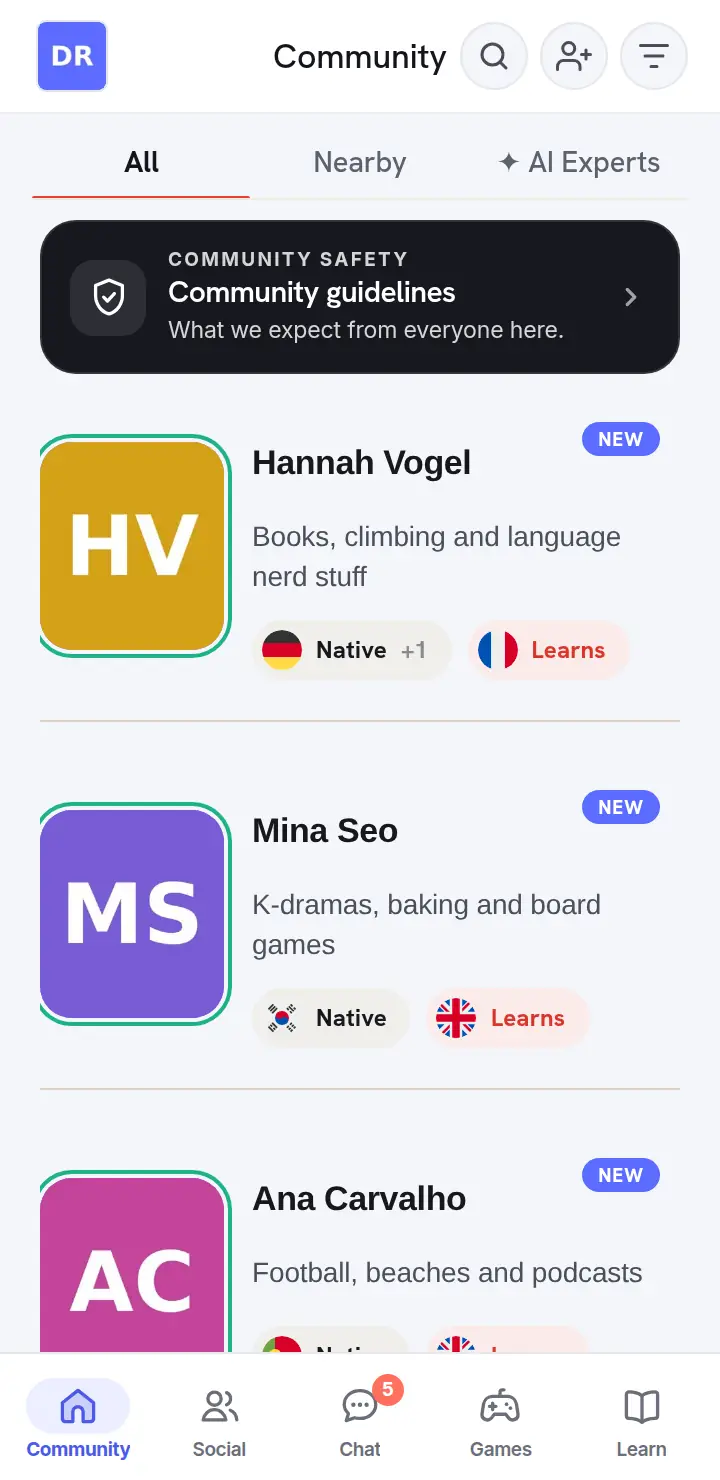
One tap opens a profile; one more starts a chat. A practical tip: message people who are online now. A great first message to someone who has been away for two weeks is a message nobody reads.
Chats and calls
Chats are one-to-one conversations with anyone on the wall. You can send text, photos, voice messages, stickers and emoji reactions, reply to a specific message, forward, edit or delete your own messages, and start a voice or video call from the top of the chat.
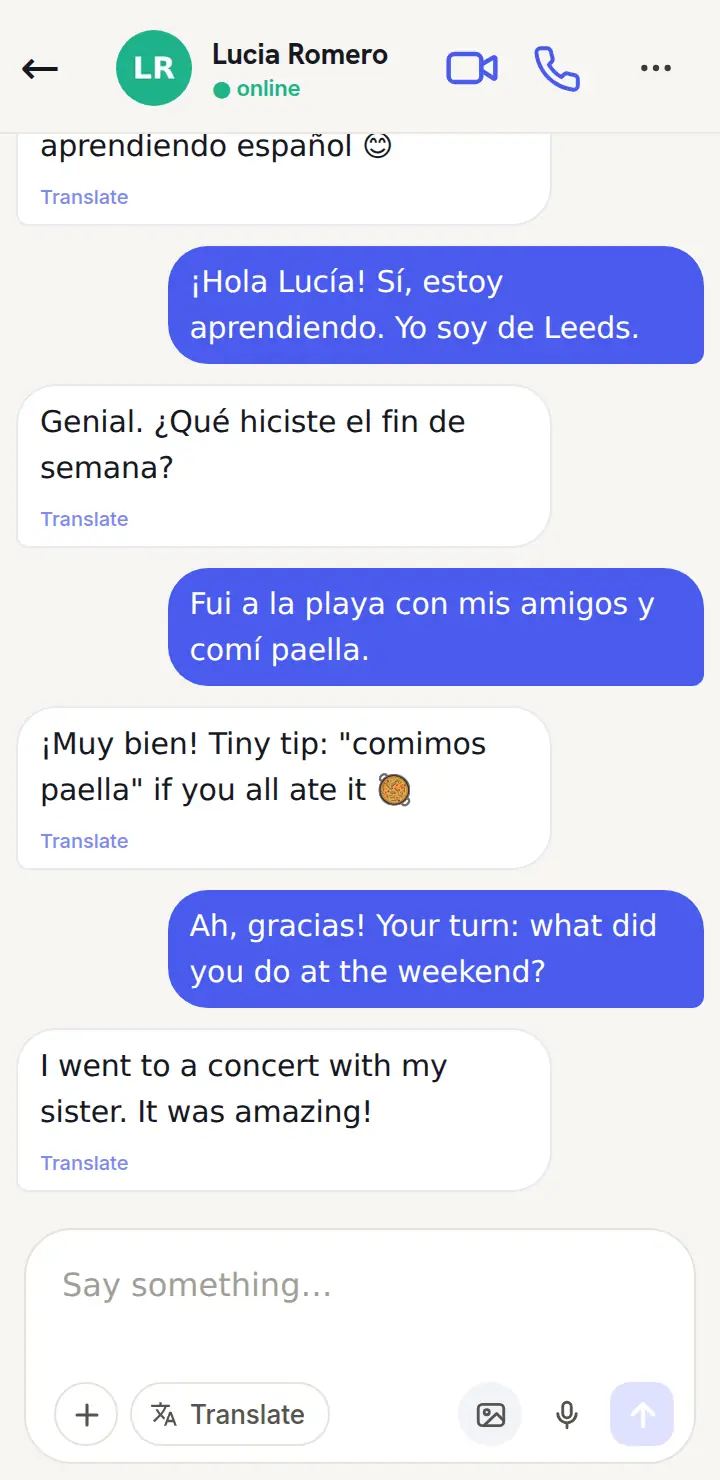
The language tools live in the menu on each message (long-press on a phone):
- Translate to… shows the message in the language you pick, under the original. You can also translate the words in a photo — a menu, a sign, a page of homework.
- Correct shows an AI-suggested correction of the sentence with a one-line note on what changed. It is most useful on your own messages before a partner has to point things out.
- Speak reads the message aloud, so you can hear how a sentence sounds.
In the mobile app, your partner can also correct one of your messages themselves. The correction attaches to that message with a small pencil mark, so it is still there when you scroll back in three weeks — which is when you actually reread these things.
Translation and correction are AI features, run by Anthropic’s Claude. They are optional, and you can switch AI features off in Settings.
Social: language rooms and clubs
Language rooms
Rooms are live and voice-only. Anyone can start one — give it a title, make it public or keep it to people you invite — and others drop in. Everyone joins as a listener. Listeners can react with emoji and raise a hand; the host brings people up as speakers, can make someone a co-host, and can move a speaker back to listening. That structure is what makes rooms good for nervous learners: you can sit in a Spanish room for twenty minutes, hear the language at real speed, and speak only when you choose to put your hand up.
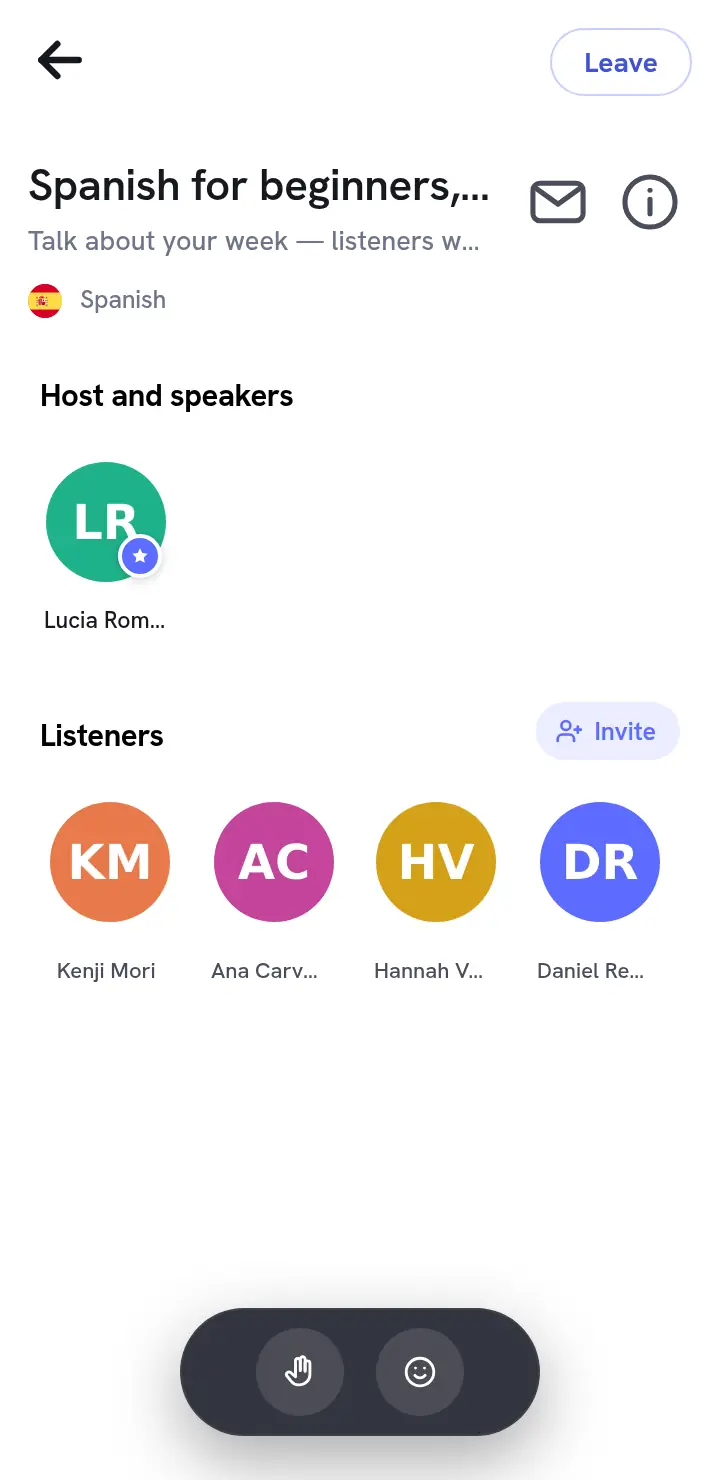
A room stays open while its host keeps it going. If a room is quiet, start one yourself with a simple topic — “Spanish for beginners, slow”, “English: talk about your week” — and post it to people you have chatted with.
Language clubs
Clubs are communities around a language or a topic: English for Beginners, Business English, English Idioms & Slang, Spanish Conversation, French for Beginners, Mandarin for beginners and more. Members post, comment and like each other’s posts, and every post and comment has a Translate button. A club is a good place to write a few sentences in your target language where several native speakers might see them, rather than one. Many clubs also have a public page you can read before joining, at talksibi.com/clubs.
Learn
The Learn tab builds short courses for the language you are learning. You choose a focus — General, Vocabulary, Idioms, Grammar, Speaking or Listening — and then a topic inside it: Travel, Food and drink, Tenses, Small talk, Opinions and debates, Fast casual speech and many more. TalkSibi then writes a course of up to twenty short lessons on that topic for your language and level, each built from eight to twelve phrases or words with a translation and audio you can play.
As you work through a lesson the app tracks which phrases you have mastered, and a Practice view brings back the ones that are due for another look, so you review the phrases you are about to forget rather than the ones you already know. The courses are written by AI (Anthropic’s Claude), so treat them as a well-organised phrasebook rather than a textbook, and bring anything that puzzles you to a native speaker.
Learn is also where you see your progress across courses, and it is deliberately short and practical: the courses are there to give you things to say, and the rest of the app is where you say them.
Games and Live
The Games tab has eight multiplayer word games and a shelf of single-player ones:
- Word Spies — the original: two teams, two spymasters, one-word clues and an assassin word. Full rules.
- Who is the Spy? — everyone has the same secret word except the spy; one-word hints, then a vote.
- Guess the Word — describe a word without saying it while the others race to guess.
- Broken Telephone — a sentence retyped from memory down a line of players, revealed at the end.
- Word Race — sixty seconds to type as many words as you can in a category, in any language.
- Word Chain — each word starts with the last letter of the one before; three lives.
- Mind Meld — two players try to type the same word at the same time.
- Round Table — a deduction game for five to ten, with a line said in the language you practise every round.
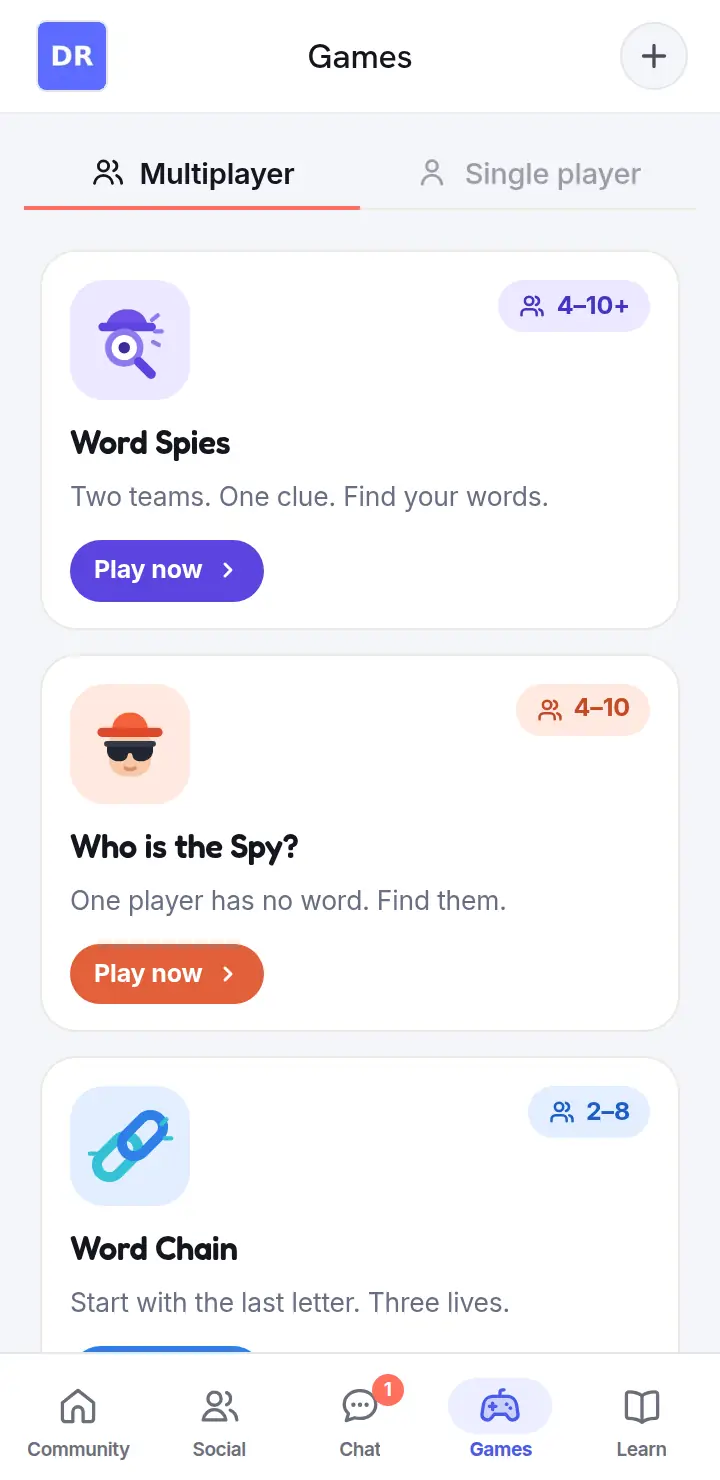
The solo shelf has five short games — Quick Match, Letter Soup, Sentence Puzzle, Odd One Out and True or False — built on packs of twenty words in the language you choose, at your level and on a topic you pick.
The Live tab shows games that are open right now, so you can join a table instead of starting one, and has a box for typing a room code a friend sent you. You can also invite someone you are chatting with to a game, and the invite arrives in your chat with the game’s name on it. Games are the low-pressure way in: people who would not message a stranger will happily play a round of Word Chain with one, and by the third round there is usually a conversation. There is a full guide to the games in word games to play on a video call, and to using them for learning in how to learn a language by playing games.
The AI Experts: Amy and Matthew
Not every practice session lines up with someone else’s timetable, so TalkSibi has two AI practice partners. They are AI characters, not people, and the app labels them “AI” wherever they appear. You find them with the “✦ AI Experts” filter on the Community wall.
- Amy speaks with a British voice. Her character is warm and curious, and likes talking about culture, books and everyday life.
- Matthew speaks with an American voice. His character has a dry sense of humour and likes films, coffee and unhurried conversations.
Both chat in English unless you ask them to switch or start writing in another language. They write the way a friend texts — short replies, usually one question back — and they focus on understanding what you meant rather than marking your mistakes. If you want a check, ask “did I say that right?”, or use Correct on the message. You can send them voice notes, which are transcribed so they can reply, and you can play their replies aloud in their own voice to hear the accent. They can see a photo you send and talk about what is in it. They see roughly the last twenty messages of your chat, so they can follow a thread, but they do not keep a long-term memory of you.
They are honest about what they are: ask if they are human and they will tell you they are TalkSibi’s AI practice partner. They keep things friendly and platonic, will not give medical, legal or financial advice, and if someone talks about self-harm the app steps in with a caring message and helpline links. They are useful for late-night practice, for warming up before a call with a real partner, and for rehearsing a specific situation — ordering food, small talk, a job interview — without an audience. They are not a replacement for people. There is a longer, honest guide to AI practice in free AI language tutor: what it can and cannot do.
Your profile
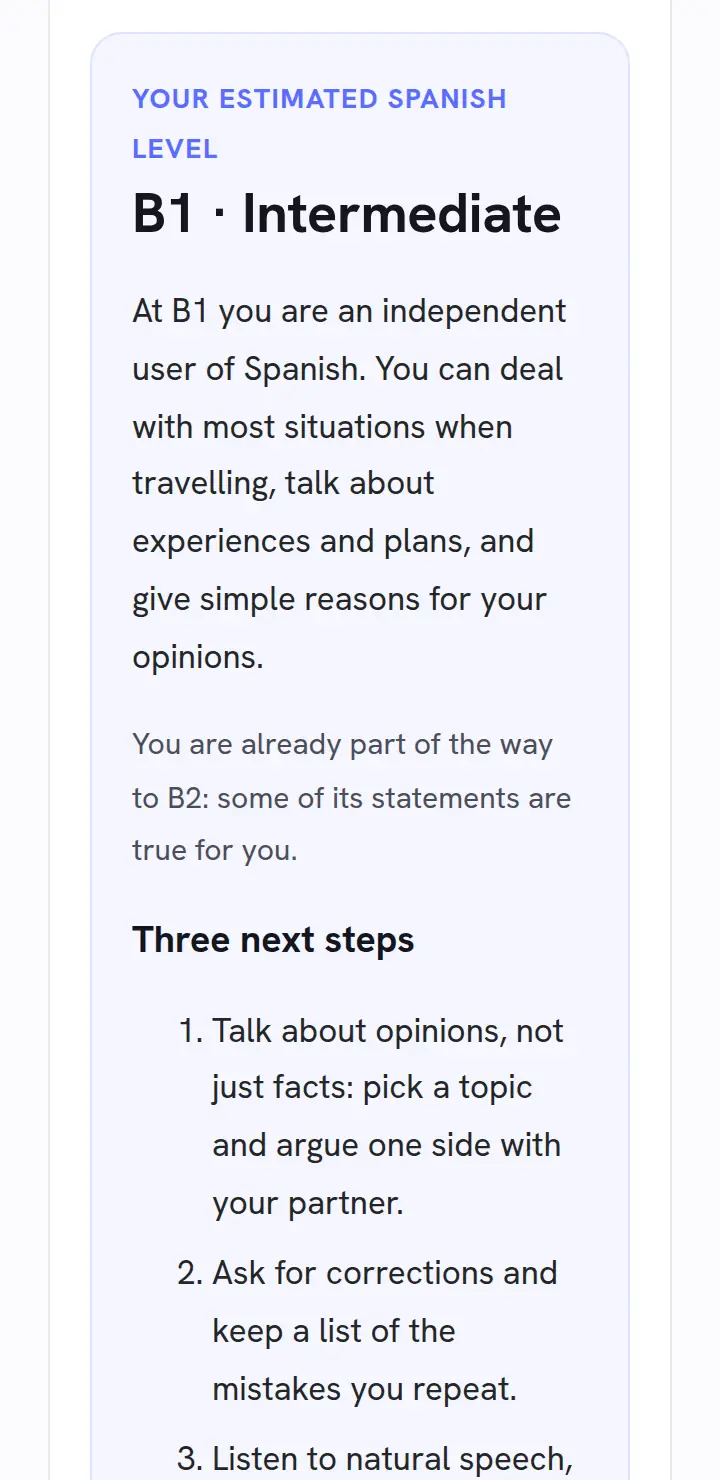
Your profile shows the languages you speak and learn, with the level you chose for each. If you allow it, an AI check reads a sample of your own recent messages every few days and estimates your level on the CEFR scale (A1 to C2). When it agrees with the level you picked, your badge gains a tick and the exact level, such as “B1 ✓”. When it disagrees, nothing changes in public; only you see a suggestion to update it. You can hide your level entirely.
Not sure which level to pick when you sign up? The free language level check asks eighteen short questions about what you can do in a language and gives an estimated CEFR level with three next steps. It needs no account, and your answers stay in your browser.
Other members can leave you a reference — a short written recommendation after a good exchange — which shows on your profile with their name and photo. You can follow people to keep them close.
Safety
Every profile and every message has Report and Block one tap away. Blocking ends the conversation from both sides. Messages, profile text and game chat are checked for abuse and explicit content before they are sent, and accounts that break the community guidelines can be suspended. Some sensible habits help too: keep conversations in the app until you know someone, never send money, and do not share your address or financial details with anyone.
Getting started
A good first evening: set up your languages, add two or three language chips to the wall, message one person who is online now (there are examples in our language exchange guide), and listen in on a room for ten minutes. If nobody in your language is awake, chat with Amy or Matthew instead. Everything above is free. Open TalkSibi.
🎮 Play TalkSibi free — no sign-up